
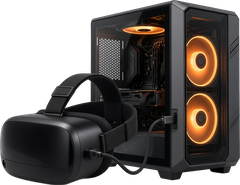

PC VR games (OpenXR frame synthesis)
ReproVR
Tool by eregnier
This tool adds 2x and 3x OpenXR frame synthesis to PC VR games and VR mods.
What you need
- VR Tool (free download):Download ReproVR on GitHub Releases ↗
Own a PC VR game or VR mod that uses OpenXR (SteamVR, Virtual Desktop, Pimax Play or Meta Link)
Supply your own legally owned copy; UnflatVR never hosts or links game files.
How to install
Install summary: Download the latest release ZIP, extract it, run reprovr_setup.exe, select a game and click Install, then start the game normally.
- Official install instructions:ReproVR setup & installation guide on GitHub ↗

Moddy saysMake sure to read the Official Instructions.
New to VR mods & tools? Read the UnflatVR PCVR How-To & Runtime Guide →
Latest release summary
- Registers as a native OpenXR implicit layer so it loads in all games without relying on version.dll or dxgi.dll proxies
- The setup app registers the layer on install and removes it on uninstall
- Works alongside Cheeky Foveated DLSS, R.E.A.L. VR, UEVR, ReShade and OpenXR-Toolkit
- Loads even when the game does not import version.dll, or when dxgi.dll is already used by another mod
- Hardened standalone proxy bootstrap for drop-in installs
- Tests cover manifest discovery and the registry install/uninstall cycle
Release notes from GitHub · Read the full notes
Notes
Free LGPL-3.0 OpenXR implicit layer for Windows that synthesizes 2x or 3x intermediate frames on the GPU with hardware optical flow (NVIDIA Optical Flow Accelerator, with an AMD FidelityFX path that has not been tested on AMD hardware yet). Works with SteamVR, Virtual Desktop, Pimax Play and Meta Link. A setup app finds Steam VR games, installs or removes the layer per game, and can change 2x/3x and pacing while the game is running. Coexists with UEVR, R.E.A.L. VR, ReShade, Cheeky Foveated DLSS and OpenXR-Toolkit. For UEVR on Virtual Desktop, turn off UEVR's Virtual Desktop fix. PCVR only; not for standalone or Steam Frame. No game files included.
Change history
- New entry added
- First listed on UFVR