
UnflatVR FAQ
Why don't you list vorpX profiles?
UnflatVR is about 100% flat-free gaming: real VR mods that put you inside the game, usually with full head tracking and often with motion controls. vorpX is a paid tool that mostly shows flat games on a virtual screen or adds a 3D effect, and its per-game profiles have no developer, version or release we can verify. We'd rather keep the directory to mods that really change how a game plays in VR. If a game you love only works with vorpX, check back, since dedicated mods keep coming out.
What is a flat-free VR mod?
A flat-free VR mod rebuilds a game made for a flat screen so you play it from inside, in true VR, usually with full head tracking and often with motion controls. It doesn't just show the game on a big virtual screen. Every mod we list credits its developer, with a version and release date we can check at the developer's own page. The directory has 749 of them across Quest, PCVR and Steam Frame.
Can I play these on Quest without a PC?
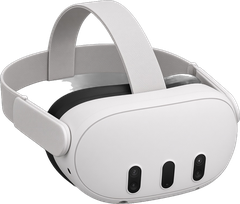
Yes. The 125 Quest mods in our directory run standalone on the headset, so you don't need a gaming PC to play them. Most are free apps you sideload, which takes a one-time setup with Developer Mode and a computer (PC or Mac) running SideQuest or adb to install the app and copy your game files. After that, you play right on the Quest.
What is Steam Frame, and which mods run on it?
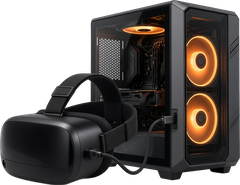
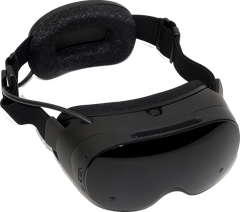
Steam Frame is Valve's standalone VR headset, and we list 27 flatscreen-game mods and ports that run on it with no PC. They come in three build types: Android APK builds, native Arm64 builds and Windows games run through Proton. Examples include Half-Life 2: VR Mod (Steam Frame), PrimedFrame for Metroid Prime, GalaxyFrame for Super Mario Galaxy and OpenMW-VR for Morrowind. Steam Frame can also stream from a gaming PC through SteamVR, and Valve says it then works like a regular PC VR headset. That means PCVR mods that run through SteamVR or OpenXR, including UEVR and Luke Ross's R.E.A.L. VR mods, can be played on it that way too, on a PC that meets each mod's requirements.
Do I need to own the original game?
Yes, almost always. UnflatVR never hosts or links game files, ROMs, ISOs or disc images, and each listing tells you which files you need to supply yourself, like a copy you bought on Steam or GOG or a backup of a disc you own. A few downloads ship playable content themselves; use the "Includes game files" filter in the directory to find them.
Are VR mods safe and legal?
We link only to each mod's official developer page (such as GitHub, itch.io, SideQuest, the Meta Horizon Store, Nexus Mods or Patreon), and if we can't verify a source as official, we don't link it. We never host or link game files, and every mod belongs to its developer. Using a mod with a game you own is up to you, and laws on game backups differ by country. Read each mod's own instructions, and keep a copy of any game files you overwrite.
How do I install a VR mod?
It depends on the platform. Quest mods are usually APK files you sideload with SideQuest after turning on Developer Mode, while most PC mods are a zip you extract next to the game's .exe and then play through SteamVR. Every listing has its own install steps from the developer, and our How To guide covers the common setups step by step with links to the official guides.
What does Status mean (Active, Experimental, WIP, Abandoned) and how often do you check?
Status shows where a mod stands: Active means it's released and still maintained, Experimental means it's an early or test build, WIP (no download) means it's announced with nothing to download yet, and Abandoned means its developer has stopped work or taken it down. We check Active, Experimental and WIP mods at regular intervals, reading the latest version and release date straight from the developer's page, and a mod whose source gets archived or unpublished is flagged for review as Abandoned. Each mod's "Latest Release" date is the release date of its newest version.
What is a Game Hub?
A Game Hub is one page for a game with every VR version we list, side by side across Quest, PCVR and Steam Frame. Each hub compares cost, status, controls and latest release date, and when a game has more than one version it helps you choose which to pick. We have 619 Game Hubs so far, and they update automatically as new versions get listed.
Which VR mod should I start with?
Start with a game you already own and a mod marked Active with Easy files, so it's simple to set up and still being updated. Half-Life 2 is a good first try, since it has free, Active VR versions for Quest, PCVR and Steam Frame. Use the directory filters for platform, status, file difficulty and control type to narrow the rest down.
Why isn't my game listed?
Usually it's because there isn't a VR mod for it yet that we can verify: we list only real VR mods with a named developer, an official download page, and a version and release date we can check. Tools that work across many games go on the Utilities page instead of under each game, and screen-only or 3D-effect profiles like vorpX's don't qualify. We look for new mods regularly, so check back, since dedicated mods keep coming out.