
How to Install PC VR Mods
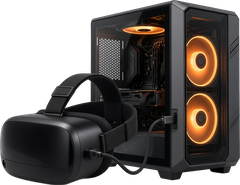
Getting a flat PC game into VR takes three things: SteamVR running, your headset connected to the PC, and the mod in the right folder. Here's each step, including Quest Link, Air Link and Virtual Desktop. Every step ends with a link to the official guide, because those stay up to date.
Get SteamVR running
Almost every PCVR mod here runs through SteamVR. Get it from its Steam store page, connect your headset, and launch it. The first time, set up your play area so SteamVR's Chaperone boundaries match your room. If SteamVR gives you an error, Valve's SteamVR troubleshooting page is the place to start.
SteamVR on Steam ↗ Steam Support: SteamVR troubleshooting ↗
Quest on PC: Link and Air Link
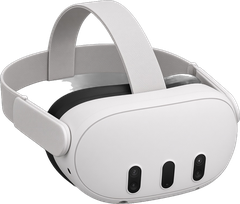
Got a Quest? It doubles as a PC headset. Install the Meta Horizon Link app on your PC. For a cable, Meta recommends a USB-C 3.2 cable (5 Gbps or faster) in a USB 3.2 port. Then open Quick controls in the headset, select Link, pick your computer and select Launch. For Air Link, open Quick controls, select Link, turn on Use Air Link, pick your PC, select Pair, confirm the code and Launch. Air Link works best on 5 GHz Wi-Fi with your PC on Ethernet. Once you're in, launch SteamVR on the PC and you're good.
Meta: set up Link and Air Link ↗
Virtual Desktop
Virtual Desktop is another wireless option, on the Meta Store. Get it there, install the Streamer app on your PC (a VR-ready Windows 10 or 11 PC) from the official site, and follow its setup to connect the headset. It can launch your SteamVR games from its Games tab, too.
Virtual Desktop: official site ↗ Virtual Desktop on the Meta Store ↗
Install a typical PC mod
Most PC mods are a zip you extract into the game's folder, right next to the game's .exe. To find that folder in Steam, right-click the game, then Manage, then Browse local files. In GOG Galaxy, click the settings icon next to Play, then Manage installation, then Show folder. Extract so the mod's files land beside the .exe, not in a new subfolder. It's an easy mistake to make. If there's a readme, read it. It'll tell you if you need a specific game version. Keep a copy of anything you overwrite. If things go sideways, Steam's Verify integrity of game files can download the original files again.
Steam Support: verify game files ↗

Moddy saysMake sure to read the Official Instructions. The mod's readme tells you if it needs a specific game version.
Vortex (Nexus Mods)
Some mods on Nexus Mods are set up for Vortex, their mod manager. It installs and manages mods for you, can update them all at once, and supports over 500 games. Follow its getting-started guide for the exact steps.
Popular PCVR mods to try
-
 FlatOut 4: Total Insanity
 VRby Mutar; Flat2VR Studios (publisher)
PCVR$29.99ActiveFull Motion★ Files IncludedUFVR Grade B
-
 Marvel's Spider-Man Remastered
SpidyVRby Ilya Mezerowsky (IlyaMez)
PCVRFreeExperimentalFull MotionFiles: EasyUFVR Grade B
-
 Ghostbusters: The Video Game Remastered
GB-VRby 0riginalCopy
PCVRFreeActiveFull MotionFiles: EasyUFVR Grade A


More in the best PCVR VR mods list and the PCVR directory.