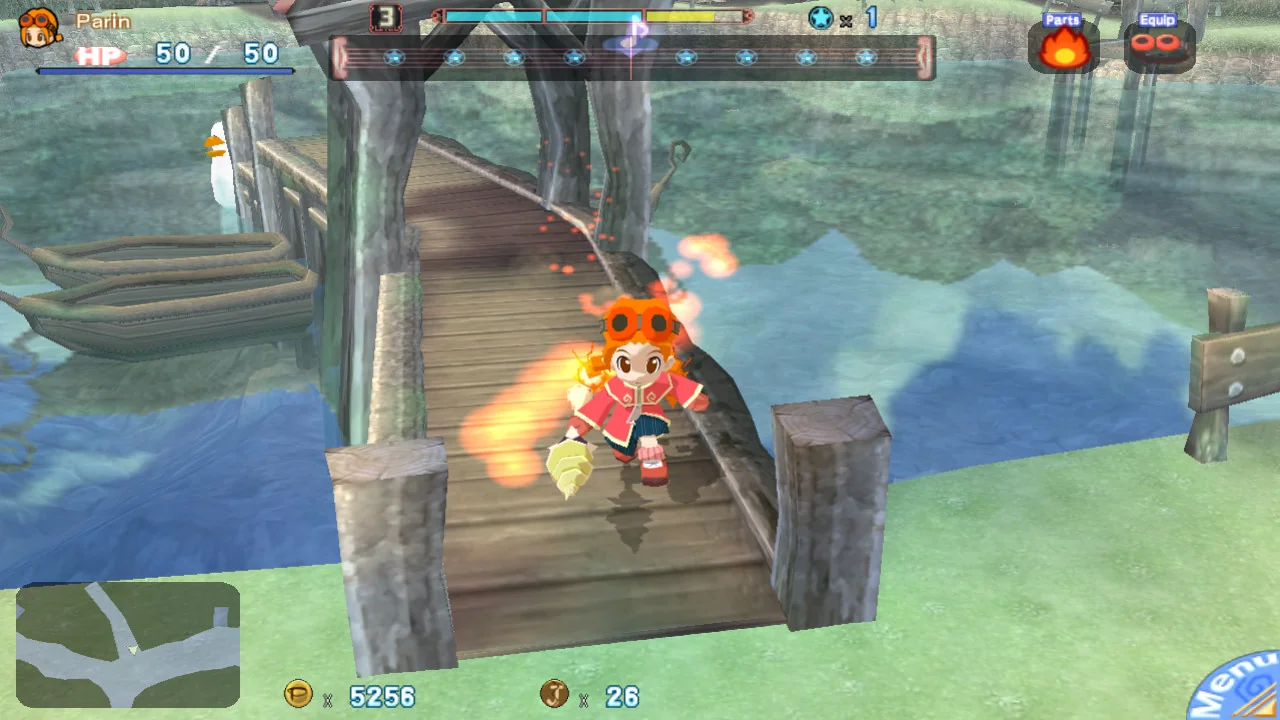


Game screenshots © Mastiff · via the official Steam store page.
Gurumin: A Monstrous Adventure VR Mod · PCVR
Gurumin Enhanced Rendering
Mod by ObeseCatLord
How it adds up
- Status: 35/35 (Active)
- VR controls: 25/25 (Gamepad (suited to this game))
- Review videos: 0/10 (0 review videos)
- Install help: 15/15 (official install guide linked)
- Recent release: 15/15 (last release Oct 14, 2026)
Gurumin is a 2004 third-person action RPG in which Parin explores a monster world with her talking drill. This free mod adds optional OpenXR VR with stereo 6DoF view, at life size or diorama scale.
Controls Play in a third-person headset view at life size or diorama scale; move Parin and orbit the camera with the sticks on a gamepad or VR controllers.
What you need
- VR Mod (free download):Download Gurumin Enhanced Rendering on GitHub Releases ↗
Own Gurumin: A Monstrous Adventure on Steam
More stores (2)
US prices · checked Nov 15, 2026, 10:28 PM CT
Paid links: UnflatVR may earn a commission if you buy.
Some store links are affiliate links or creator-tagged links: if you buy through them, UnflatVR may earn a small commission at no extra cost to you (details). Not every store listed is the game's official store, so check the seller and region before buying. Supply your own legally owned copy; UnflatVR never hosts or links game files.
How to install
Install summary: Extract the ZIP and copy it into the Steam game folder, start your OpenXR runtime, then turn on VR in the launcher or start with -vr.
- Official install instructions:Gurumin Enhanced Rendering setup & installation guide on GitHub ↗

Moddy saysMake sure to read the Official Instructions.
New to PCVR mods? Read the UnflatVR PCVR How-To & Runtime Guide →
Latest release summary
- Optional 6DoF OpenXR VR with a third-person camera rig that follows Parin; VR is off by default
- Life size or diorama (tabletop) scale, played with a gamepad or VR controllers
- Single-pass stereo, with map scenery following the headset
- Works with SteamVR or Monado/WiVRn, on Windows and on Linux through Proton
- Turn it on in the launcher's VR group, or start once with -vr
Release notes from GitHub · Read the full notes
Notes
Optional OpenXR VR mode (off by default) for the Steam 1.4 build: true stereo 6DoF third-person view at life size or diorama scale, with a camera rig that follows Parin. Headset view with a gamepad or VR controllers used as a gamepad; no motion controls. Windows and Linux (Proton). No game files included.
Change history
- Status: “Experimental” → “Active”
- New entry added
- First listed on UFVR