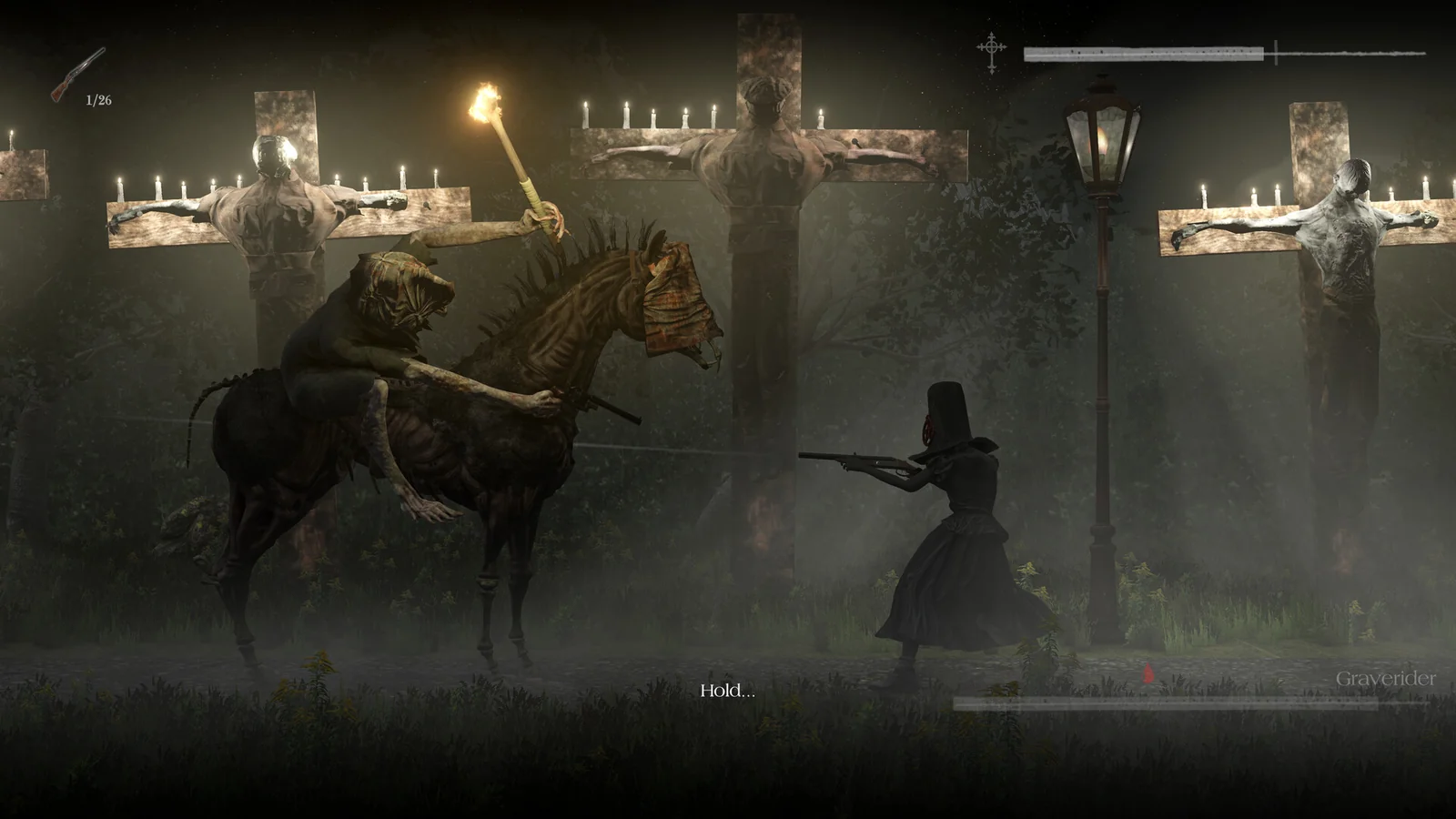


Game screenshots © Perp Games · via the official Steam store page.
Withering Rooms VR Mod · PCVR
Withering Rooms VR
Mod by King-EJ
How it adds up
- Status: 23/35 (Experimental)
- VR controls: 18/25 (Aim Motion)
- Review videos: 2/10 (1 review video)
- Install help: 15/15 (official install guide linked)
- Recent release: 15/15 (last release Nov 13, 2026)
Withering Rooms is Moonless Formless' 2024 2.5D horror RPG set in a procedurally generated Victorian mansion. This VR mod plays it from the game's camera or first person with swinging melee.
Controls Swing the right controller for a light attack and the left for a heavy one; the controllers otherwise act as a gamepad.
What you need
- VR Mod (free download):Download Withering Rooms VR on GitHub Releases ↗
Own Withering Rooms on Steam
More stores (2)
US prices · checked Nov 15, 2026, 10:28 PM CT
Paid links: UnflatVR may earn a commission if you buy.
Some store links are affiliate links or creator-tagged links: if you buy through them, UnflatVR may earn a small commission at no extra cost to you (details). Not every store listed is the game's official store, so check the seller and region before buying. Supply your own legally owned copy; UnflatVR never hosts or links game files.
How to install
Install summary: Unzip the release into the game folder, start your OpenXR runtime, then launch the game. Rename winhttp.dll to winhttp.dll.bak to disable the mod.
- Official install instructions:Withering Rooms VR setup & installation guide on GitHub ↗

Moddy saysMake sure to read the Official Instructions.
New to PCVR mods? Read the UnflatVR PCVR How-To & Runtime Guide →
Notes
Test build for the Unity 2021.3 version of the game. Start at the game's camera and hold the right stick click to switch to first person, where the player's hands follow your controllers and the map sits in your left hand. Swing the right controller for a light attack and the left for a heavy one. The controllers otherwise act as a gamepad; menus and the HUD float on a screen. Both stick clicks recentre and holding them opens a VR settings menu. So far only tested with Virtual Desktop. Free, non-commercial. No game files included.
Videos
↑ TopKingVR_PCWithering Rooms VR
Videos are by their creators and embedded via youtube-nocookie.com.
Change history
- New entry added
- First listed on UFVR