
How to Use Your Own Game Files for VR Mods, Legally
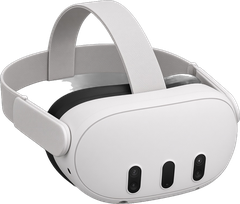
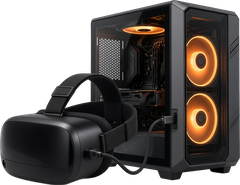
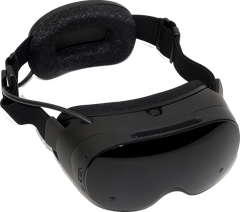
Most VR mods and ports need the original game. Here's how to find the files from your own Steam or GOG copy, or back up your own discs and cartridges with the official tools. Every step ends with a link to the official guide, because those stay up to date.
Short version: use your own copy. UnflatVR never hosts or links game files, and we won't point you anywhere that does.
Steam and GOG folders
If you own the PC version, the files you need are already on your drive. In Steam it's Manage, then Browse local files. GOG explains where Galaxy and the offline installers put things.
GOG Support: where is my game installed? ↗ Steam Support: verify game files ↗
Your own discs and cartridges
Some mods and decompilations need data from a console release or mobile app. The legit route is making a personal backup of the disc, cartridge, or app you own with your own hardware. Below are the official community documentation pages for each console family in our directory. Follow the guide for your system, verify the file checksum if the mod asks for a specific regional revision, and keep the result to yourself.
PlayStation (PS1, PS2, PS3 & PS4): PlayStation 1 and PlayStation 2 CD/DVD discs can be backed up on a standard PC optical drive with ImgBurn or Media Preservation Frontend (MPF) as documented by PCSX2 and the community Dumping Guide. PlayStation 3 Blu-ray discs need a compatible PC Blu-ray drive and PS3 Disc Dumper, which also needs the disc's decryption key. PlayStation 4 ports (such as Bloodborne running under shadPS4) require decrypted base-game and patch folders exported from your own PS4 to an exFAT USB drive with Itemzflow, on a console running a homebrew enabler such as GoldHEN.
PCSX2 Docs: dumping your own PS1 & PS2 discs ↗ Dumping Guide: Media Preservation Frontend (MPF) disc dumping ↗ PS3 Disc Dumper: dumping your own PlayStation 3 Blu-ray discs ↗ PlayStation 4 Wiki: dumping your own PS4 discs & updates with Itemzflow ↗ shadPS4 Quickstart: emulator setup ↗
GameCube, Wii & Wii U: The Dolphin team maintains the standard guide for backing up your own GameCube and Wii optical discs using CleanRip on a Wii (GameCube discs can't be ripped on a Wii U), or with certain PC Blu-ray drives running custom firmware. For Wii U titles, the Cemu guide covers exporting your own discs, updates, and DLC to a USB drive or microSD with Dumpling.
Dolphin: ripping your own GameCube & Wii discs ↗ Cemu Guide: dumping your own Wii U games with Dumpling ↗
Original Xbox & Xbox 360: Original Xbox discs can be backed up from your own Xbox running a custom dashboard, by copying the game files to your computer over FTP, or with a specially reflashed DVD drive; xemu documents both methods. For Xbox 360 titles, the Xenia wiki's "How to rip games" section walks through copying your own disc or installed game to a USB drive on a stock Xbox 360 console and unpacking it on PC.
xemu Docs: dumping your own Original Xbox discs ↗ Xenia Wiki: how to rip your own Xbox 360 games ↗
Sega Dreamcast: Dreamcast GD-ROMs use a high-density data track that standard PC CD/DVD drives cannot read directly; the Dreamcast Wiki walks through backing up your own GD-ROM discs using a Dreamcast console with a Serial SD adapter (SDRip) or Broadband Adapter (httpd-ack).
Dreamcast Wiki: dumping your own GD-ROM discs (httpd-ack & SDRip) ↗ Dreamcast Wiki: httpd-ack Broadband Adapter dumping guide ↗
Cartridges (Nintendo 64, Super Nintendo & 3DS/DS): Many N64 and SNES decompilations need one specific regional revision of the game, so check the mod's page for the one it wants. You can read your own cartridges with dedicated reader hardware such as an Open Source Cartridge Reader (OSCR), RetroBlaster, or Retrode2. For 3DS and DS cartridges, the 3DS Hacks Guide explains how to export your own physical game cartridges directly on your console with GodMode9.
Dumping Guide: dumping your own Nintendo 64 cartridges ↗ Dumping Guide: dumping your own Super Nintendo cartridges ↗ Open Source Cartridge Reader (OSCR): User Guide ↗ 3DS Hacks Guide: dumping your own 3DS & DS cartridges ↗
Arcade & Android apps: Arcade emulators and ports expect specific ROM sets; the RED-Project Wiki documents how to extract licensed arcade sets and assets from Steam, GOG, and Android compilations you own, and MAME's official documentation explains how arcade sets are structured. For standalone ports that require assets from an Android release you own on Google Play (such as GTA: San Andreas or Red Dead Redemption), you can pull the installed APK and OBB expansion files from your own phone or tablet over USB using adb shell pm path <package> and adb pull.
RED-Project Wiki: extracting ROMs & APKs from your own digital releases ↗ MAME Docs: about arcade ROM sets ↗ Android Developers: adb ↗ Android Developers: OBB expansion files ↗

Moddy saysOnly back up games you own, and keep the backup to yourself.