
Steam Frame VR Mods: On the Headset and Streamed from a PC
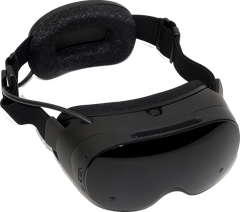
Steam Frame can play VR mods two ways: right on the headset, or streamed from your gaming PC. Here's how each one works. Every step ends with a link to the official guide, because those stay up to date.
Mods that run on the headset
The Steam Frame mods in our directory run on the headset itself, with no PC. They come as Android APK builds, native Arm64 builds or Windows games run through Proton, and each mod's page has its own install steps and tells you which game files you need.
Stream PCVR mods from your PC
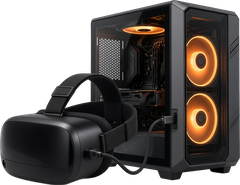
Steam Frame can also stream from a gaming PC. Plug the wireless adapter that comes with the headset into your PC (Valve suggests a USB 3 port), launch SteamVR and accept the prompt to install its driver. Select Pair, then enter the code in the headset. Home Wi-Fi works too, but Valve says it's usually less reliable than the adapter. Once you're connected, Valve says it acts just like a normal wired headset, without the wires, so PCVR mods that run through SteamVR or OpenXR, including UEVR and Luke Ross's R.E.A.L. VR mods, should work the same way. Install the mod on the PC exactly as you would for any other headset (see Install a typical PC mod).
Valve: Steam Frame streaming setup ↗ SteamVR on Steam ↗

Moddy saysValve suggests the included wireless adapter in a USB 3 port. Home Wi-Fi tends to be more congested and less reliable.
Popular Steam Frame mods to try
-
 Half-Life 2
: VR Mod (Steam Frame)by Source VR Mod Team
FRAME·PROTONFreeActiveFull MotionFiles: EasyUFVR Grade A
-
 Descent / Descent 2
Descent 1 & 2 VRby GameOrDie007 (Game Or Die), built on DXX-Redux
FRAME·APKFreeActiveAim MotionFiles: MediumUFVR Grade B
-
 Unreal Gold
 VRby GameOrDie007 (Game Or Die), built on OldUnreal
FRAME·APKFreeActiveFull MotionFiles: MediumUFVR Grade A
-
 Unreal Tournament (1999)
Unreal Tournament 99 VRby GameOrDie007 (Game Or Die), built on OldUnreal
FRAME·APKFreeActiveFull MotionFiles: MediumUFVR Grade A


More in the best Steam Frame VR mods list and the Steam Frame directory.